
The Platform

image

THE CUSTOMER STEP BY STEP PROCESS

How a homeowner registers an emergency repair
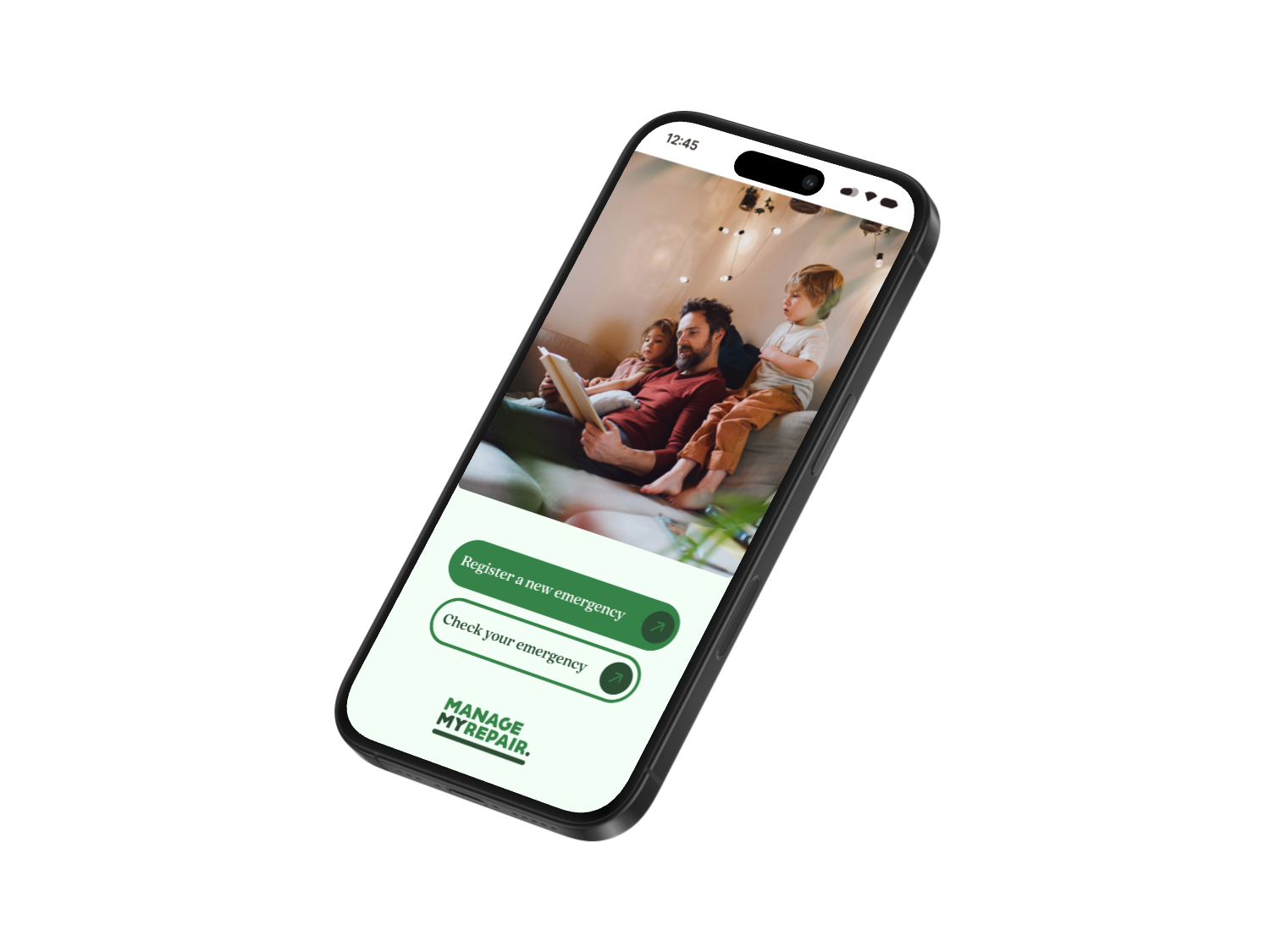
STAGE ONE

Property Validation
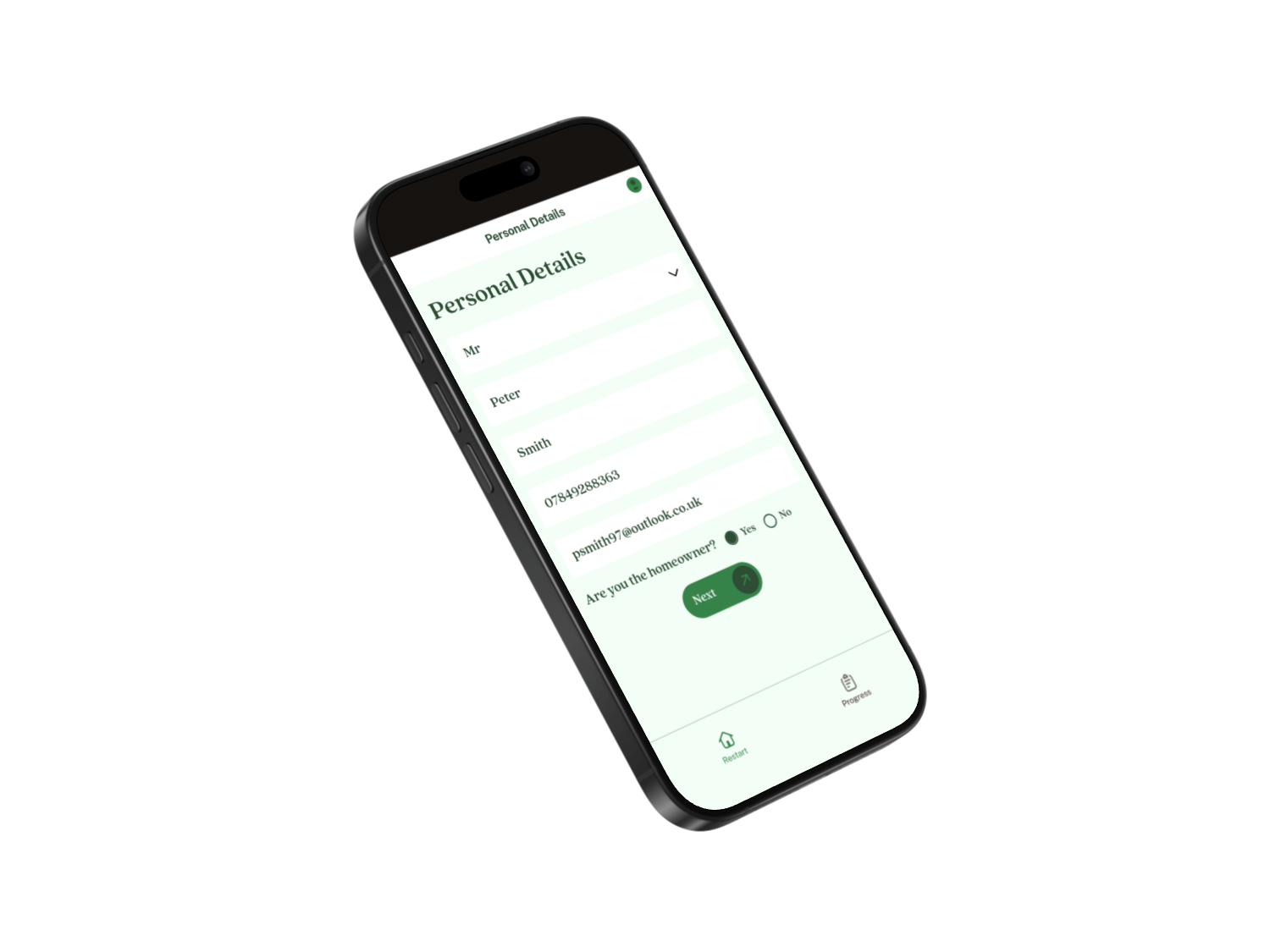
STAGE TWO

Personal Information
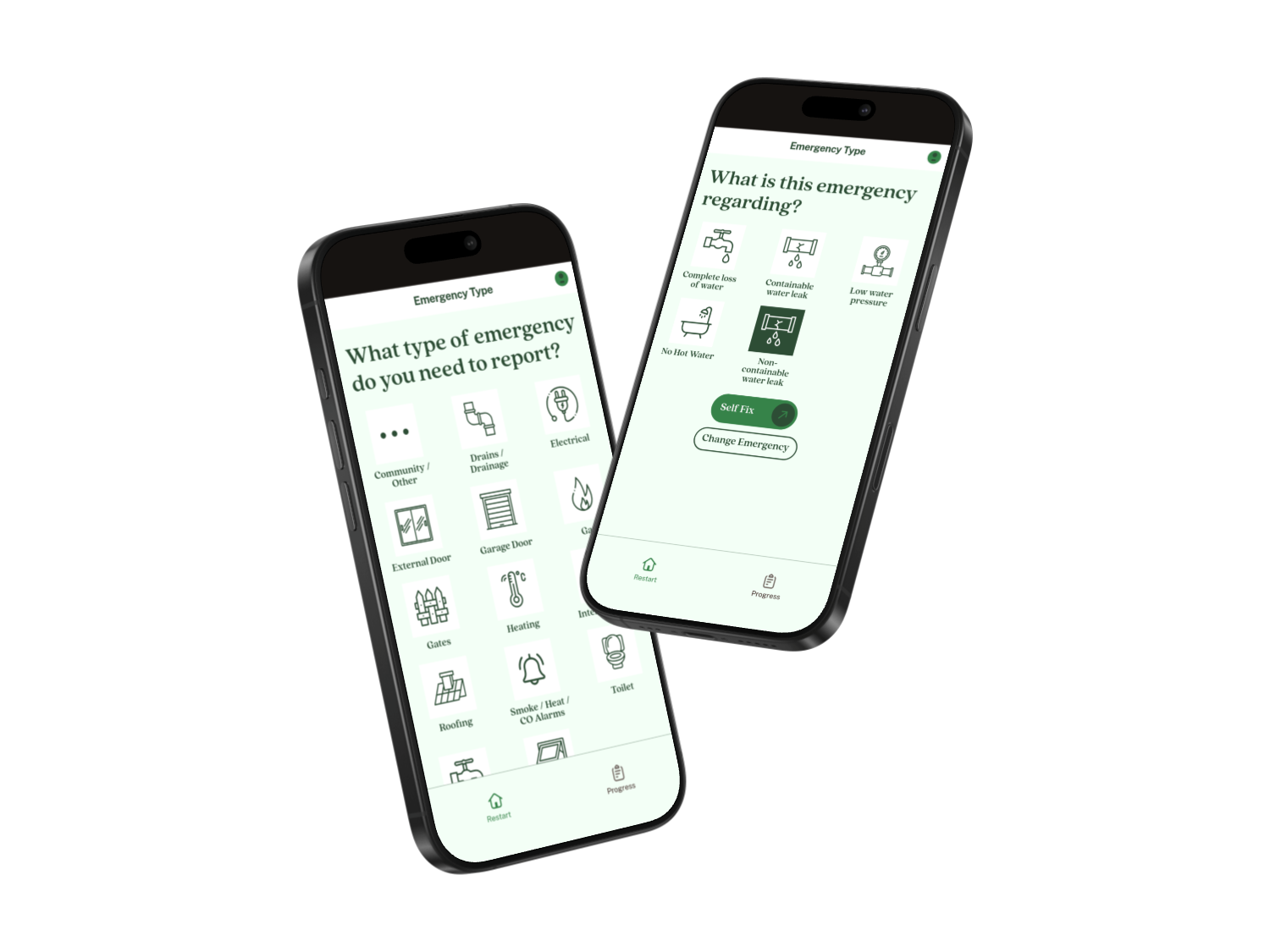
STAGE THREE

Emergency Type
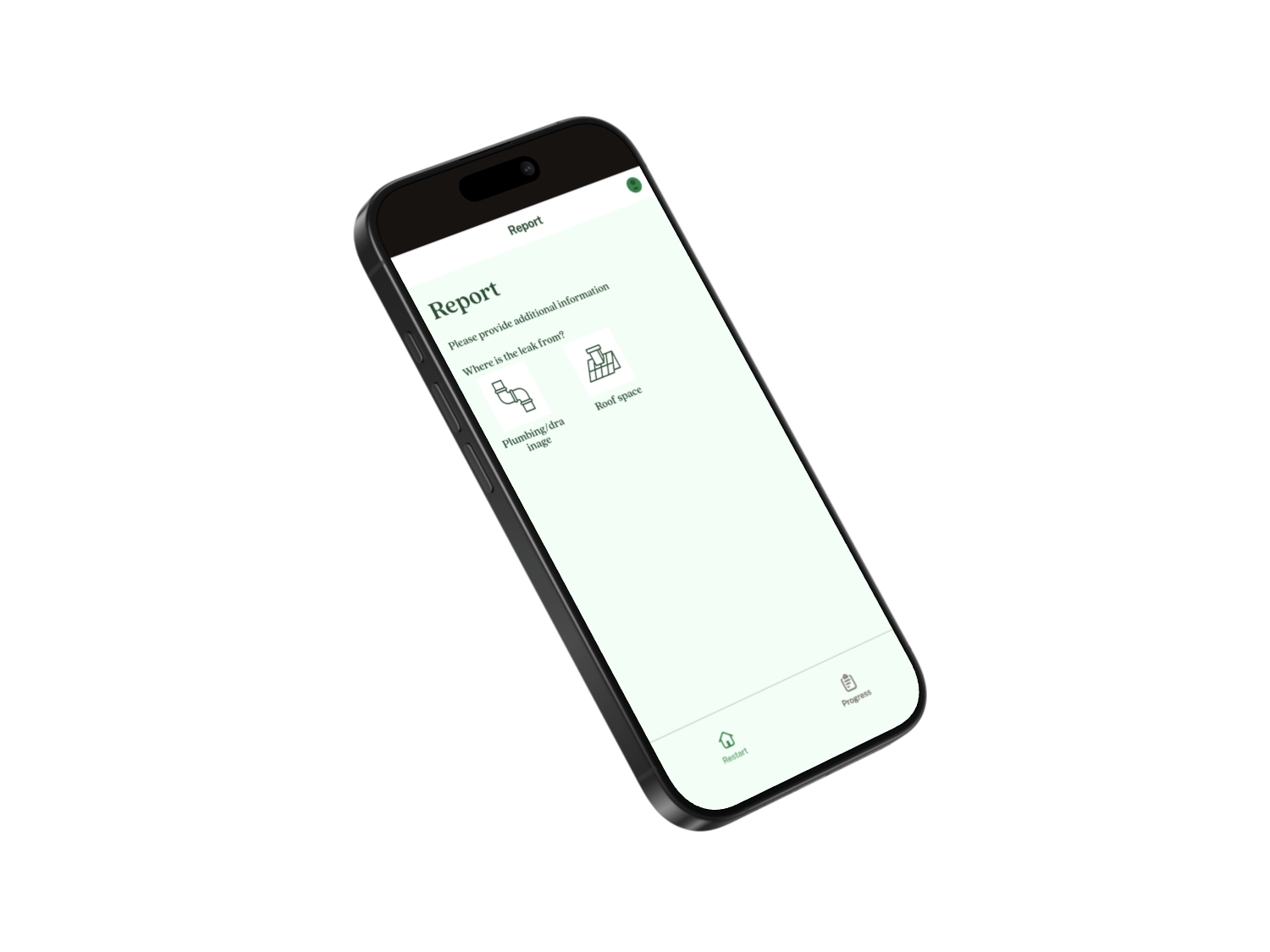
STAGE FOUR

Provide additional information including any vulnerability
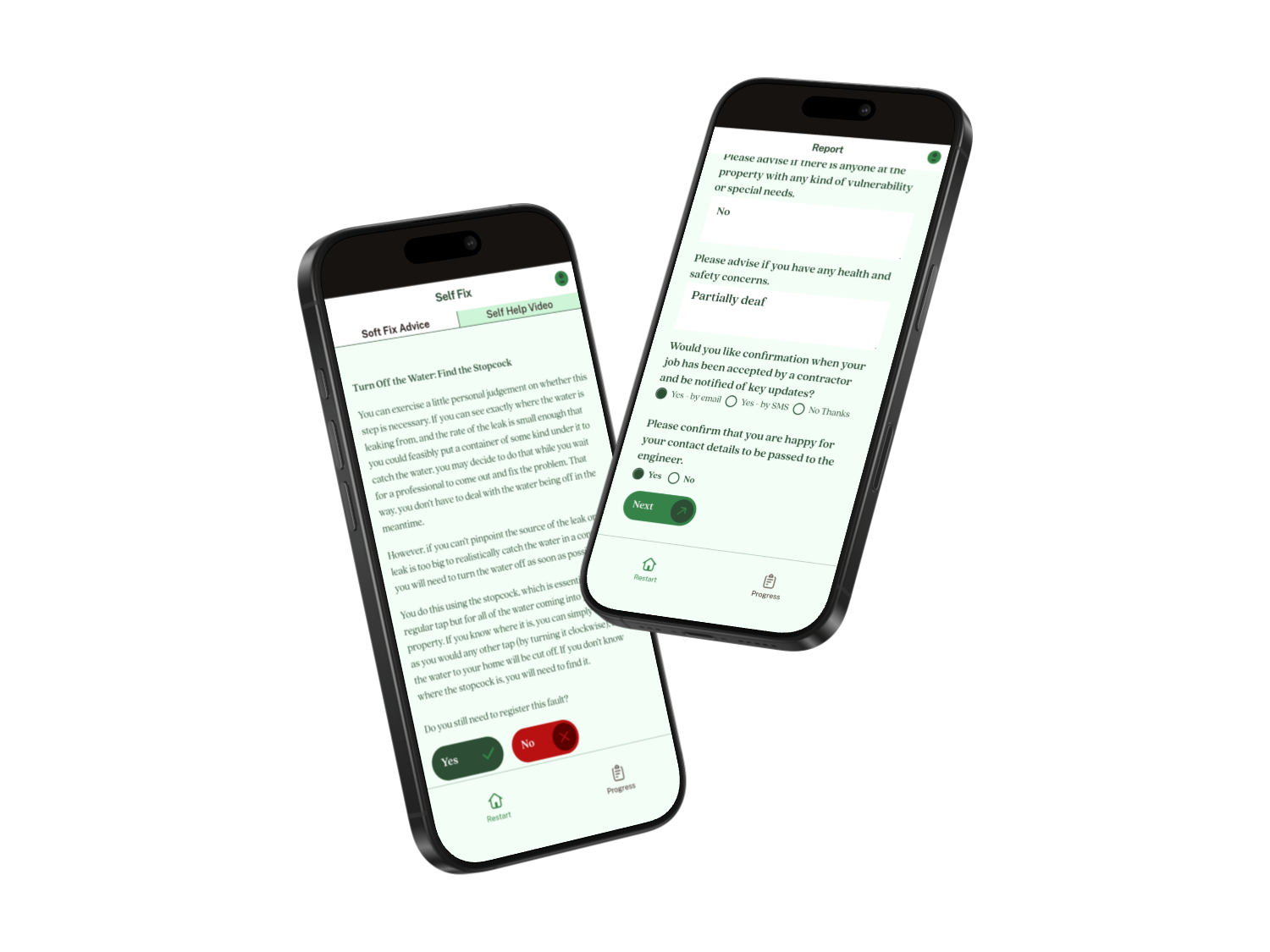
STAGE FIVE

Self Help Advice & Video Guides
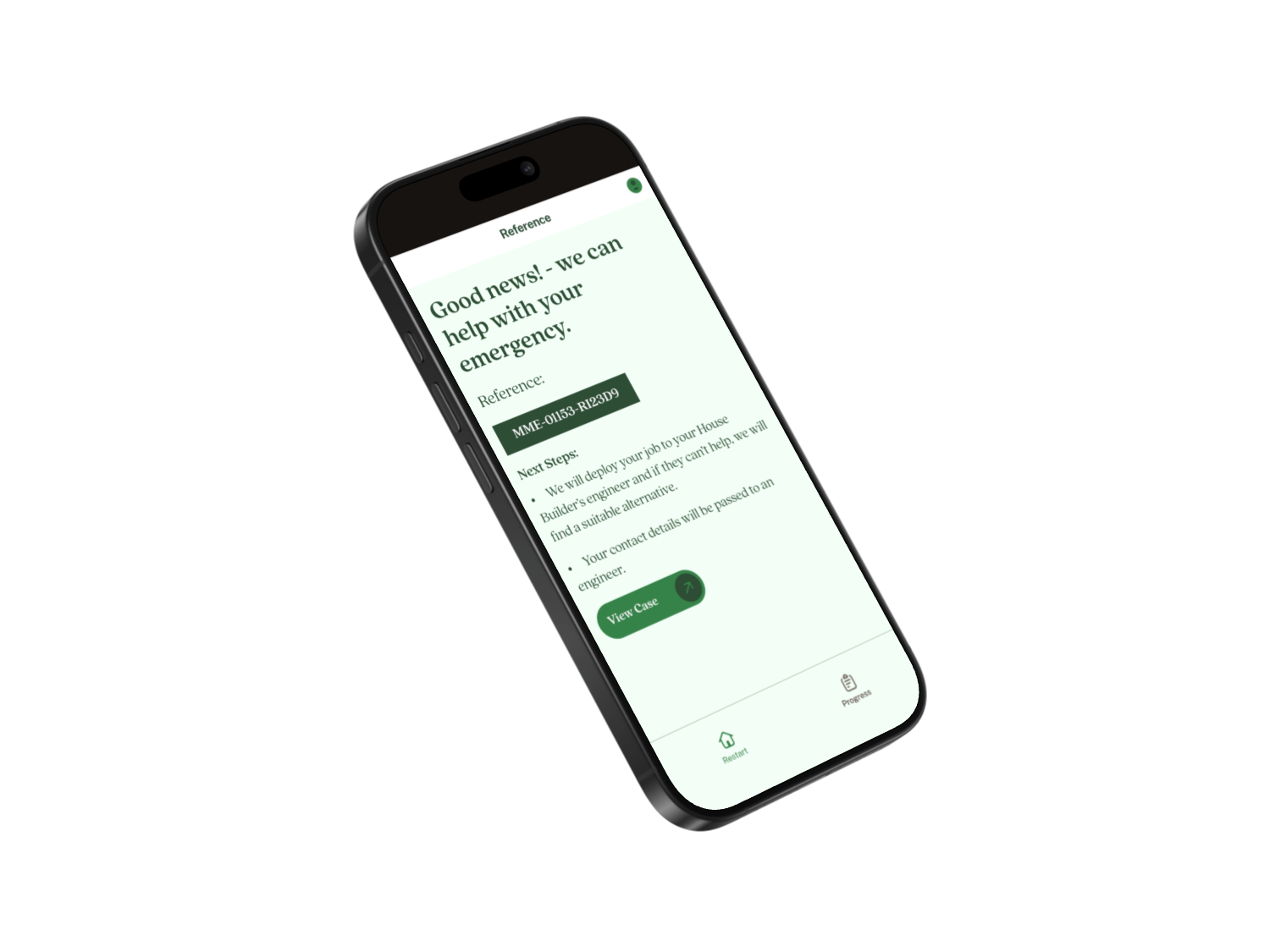
STAGE SIX

Confirmation of Next Steps

image

the Step by step process

Following the reporting process, automated communication starts with the Contractors & Customers.

We contact the contractor by phone & email/text, they click link to accept job to update our system and trigger further update communications to customer and contractor.


Our platform allows case managers to follow job status in real time, using specially designed RAG dashboards to ensure full communication is maintained until job completion.

01

Customers receive email/text as soon as the job is agreed or declined with clear next steps

02

Contractor receives phone call, email/text with emergency deployment request

03

Contractor clicks link on message to access contractor portal to accept job

04

Contractor receives 2nd email/text with full job and customer details and new link to portal to provide updates

05

Customer receives 2nd email confirming contractor acceptance, name and ETA

06

Contractor clicks on link on email/text to update system with delays or enroute info

07

Customer receives 3rd email/text confirming contractor status - delays or enroute updates

08

Contractor arrives and undertakes required repairs and identifies if any further works (Including remedial repairs are required)

09

Contractor clicks link on message to update system of outcomes, job complete, parts required, refer to manufacturer

10

Customer receives 4th email confirming job complete / any next steps

“Transformation requires more than tools — it demands courage.”

Julie Sweet, CEO of Accenture

Get in contact

Manage My Repair

Independence House,

Millfield Lane,

Nether Poppleton,

York

YO26 6PH

The Platform

image

THE CUSTOMER STEP BY STEP PROCESS

How a homeowner registers an emergency repair

STAGE ONE

Property Validation

STAGE TWO

Personal Information

STAGE THREE

Emergency Type

STAGE FOUR

Provide additional information including any vulnerability

STAGE FIVE

Self Help Advice & Video Guides

STAGE SIX

Confirmation of Next Steps

image

the Step by step process

Following the reporting process, automated communication starts with the Contractors & Customers.

We contact the contractor by phone & email/text, they click link to accept job to update our system and trigger further update communications to customer and contractor.


Our platform allows case managers to follow job status in real time, using specially designed RAG dashboards to ensure full communication is maintained until job completion.

01

Customers receive email/text as soon as the job is agreed or declined with clear next steps

02

Contractor receives phone call, email/text with emergency deployment request

03

Contractor clicks link on message to access contractor portal to accept job

04

Contractor receives 2nd email/text with full job and customer details and new link to portal to provide updates

05

Customer receives 2nd email confirming contractor acceptance, name and ETA

06

Contractor clicks on link on email/text to update system with delays or enroute info

07

Customer receives 3rd email/text confirming contractor status - delays or enroute updates

08

Contractor arrives and undertakes required repairs and identifies if any further works (Including remedial repairs are required)

09

Contractor clicks link on message to update system of outcomes, job complete, parts required, refer to manufacturer

10

Customer receives 4th email confirming job complete / any next steps

“Transformation requires more than tools — it demands courage.”

Julie Sweet, CEO of Accenture

Get in contact

Manage My Repair

Independence House,

Millfield Lane,

Nether Poppleton,

York

YO26 6PH

Open mobile menu

The Platform

Benefits to Developers

Why Choose MMR

Why Choose MMR

FAQ’s

Get in Contact

The Platform

image

THE CUSTOMER STEP BY STEP PROCESS

How a homeowner registers an emergency repair

STAGE ONE

Property Validation

STAGE TWO

Personal Information

STAGE THREE

Select the type of emergency

STAGE FOUR

Provide additional information including any vulnerability

STAGE FIVE

Self Help Advice & Video Guides

STAGE SIX

Confirmation of next steps

image

THE CONTRACTOR STEP BY STEP PROCESS

Following the reporting process, automated communication starts with the contractors & customers

We contact the contractor by phone & email/text, they click link to accept job to update our system and trigger further update communications to customer and contractor.


Our platform allows case managers to follow job status in real time, using specially designed RAG dashboards to ensure full communication is maintained until job completion.

01

Customers receive email/text as soon as the job is agreed or declined with clear next steps

02

Contractor receives phone call, email/text with emergency deployment request

03

Contractor clicks link on message to access contractor portal to accept job

04

Contractor receives 2nd email/text with full job and customer details and new link to portal to provide updates

05

Customer receives 2nd email confirming contractor acceptance, name and ETA

06

Contractor clicks on link on email/text to update system with delays or enroute info

07

Customer receives 3rd email/text confirming contractor status - delays or enroute updates

08

Contractor arrives and undertakes required repairs and identifies if any further works (Including remedial repairs are required)

09

Contractor clicks link on message to update system of outcomes, job complete, parts required, refer to manufacturer

10

Customer receives 4th email confirming job complete / any next steps

“Transformation requires more than tools — it demands courage.”

Julie Sweet, CEO of Accenture

Get in contact

Manage My Repair

Independence House,

Millfield Lane,

Nether Poppleton,

York

YO26 6PH